The project at a glance.
Freecoda brings general conversations, local project work, and browser cloud workspaces into web, desktop, and terminal clients. The public desktop app is in beta; hosted AI requires an invitation. I built across the shared TypeScript agent, Electron desktop app, CLI, Next.js service, permission flows, and usage accounting.
Implementation
Designed and built the shared agent and project tools, terminal client, Electron desktop integration, and Next.js service. The work connects reviewable edits and permission handling with conversation history, cloud workspace controls, and PostgreSQL usage accounting.
Project scope
A public open-source beta spanning desktop, web, and CLI clients, with reviewable local project actions and invite-only hosted AI access.
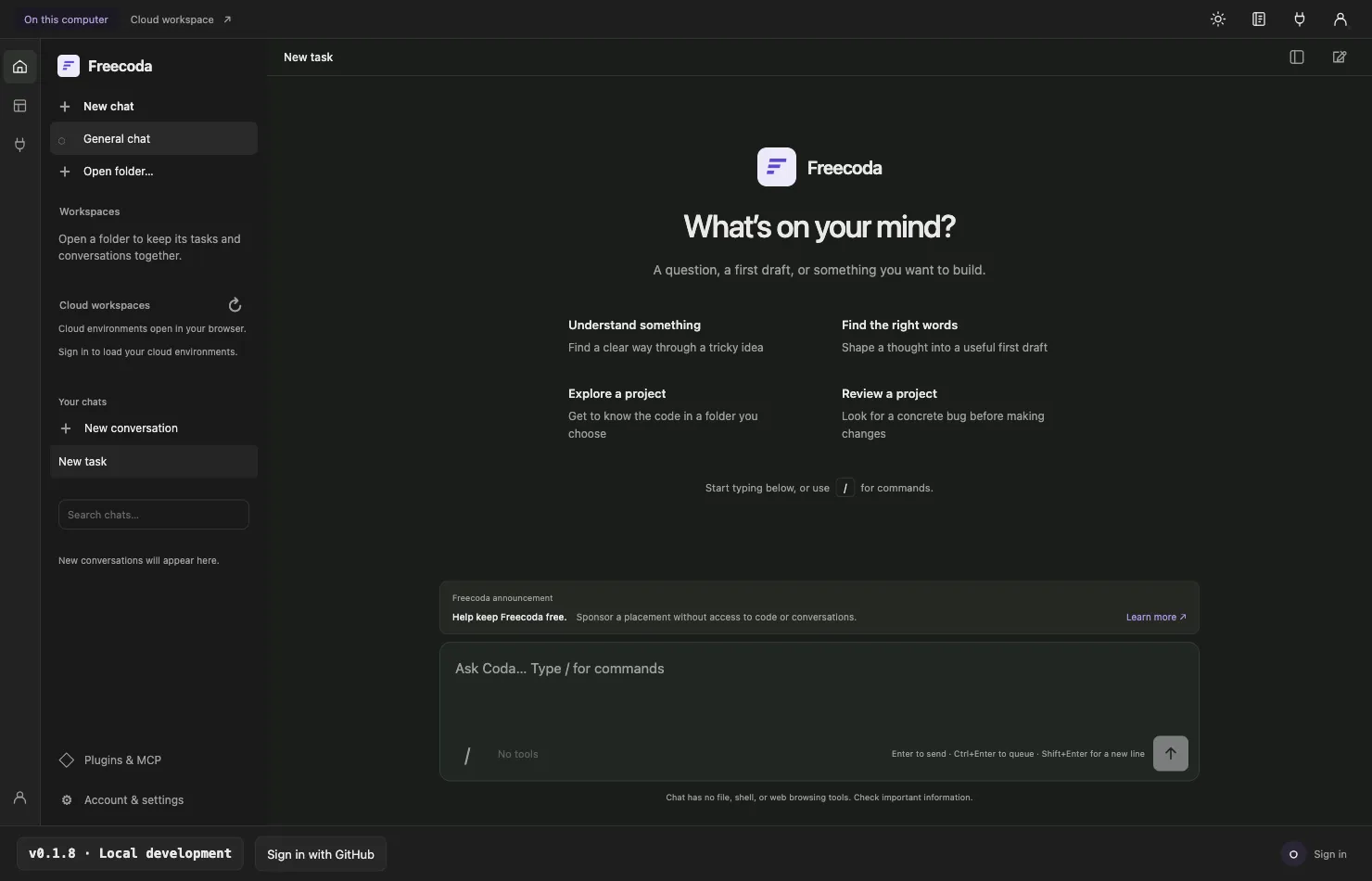
Local projects with explicit permissions
Desktop and CLI project work starts with a selected folder and its trust prompt. The assistant can read project context and propose edits, while file changes and shell commands follow separate approval boundaries. Build, Plan, and Review modes expose the tools appropriate to each task; general chat stays separate from repository access.
One product across three clients
A TypeScript monorepo shares the agent loop and contracts across the CLI, Electron desktop app, and Next.js web service. Signed-in conversations can sync across supported clients with local copies and retry handling. Each client keeps its own boundary: the web supports general chat and cloud projects, while desktop and CLI can work with a trusted local folder.
Reviewable edits and commands
Repository tools are scoped to the selected workspace and propose changes for review. File edits show a diff; shell commands require a distinct approval. The product keeps these controls visible so a conversation does not silently become permission to change files or run a process.
Free hosted access with clear limits
The invite-only beta offers a daily hosted AI allowance within a shared monthly capacity budget. PostgreSQL reservations check allowances before model requests and settle recorded usage afterward. The account shows remaining allowance and reset time; access can pause when capacity runs out. There is no paid upgrade or card requirement.
A browser workspace for connected repositories
The web client lets invited users connect an accessible GitHub repository, inspect files and diffs, preview an app, and review work before creating a draft pull request. Cloud workspaces have storage consent and separate project controls. This remains a beta workflow, so the public site does not promise that every repository or preview will run without limits.
A public desktop beta
Freecoda 0.1.10 has beta desktop downloads for macOS, Windows, and Linux, with a separate CLI release and a web client. The desktop installer opens local projects after a trust review. Hosted AI still requires an invitation; a public download is not a promise of unrestricted hosted inference.
Open source, funded by ethical ads
Freecoda is open source under Apache 2.0. Clearly labeled sponsor placements support the free service, stay separate from assistant answers and generated code, and do not target private code or conversations. The site shows its own announcement when no sponsor is available. The hosted beta remains bounded by funded capacity.